 COSM-GAME
 How to Unlock and Use Mystery Gift in Pokémon Legends: Z-A
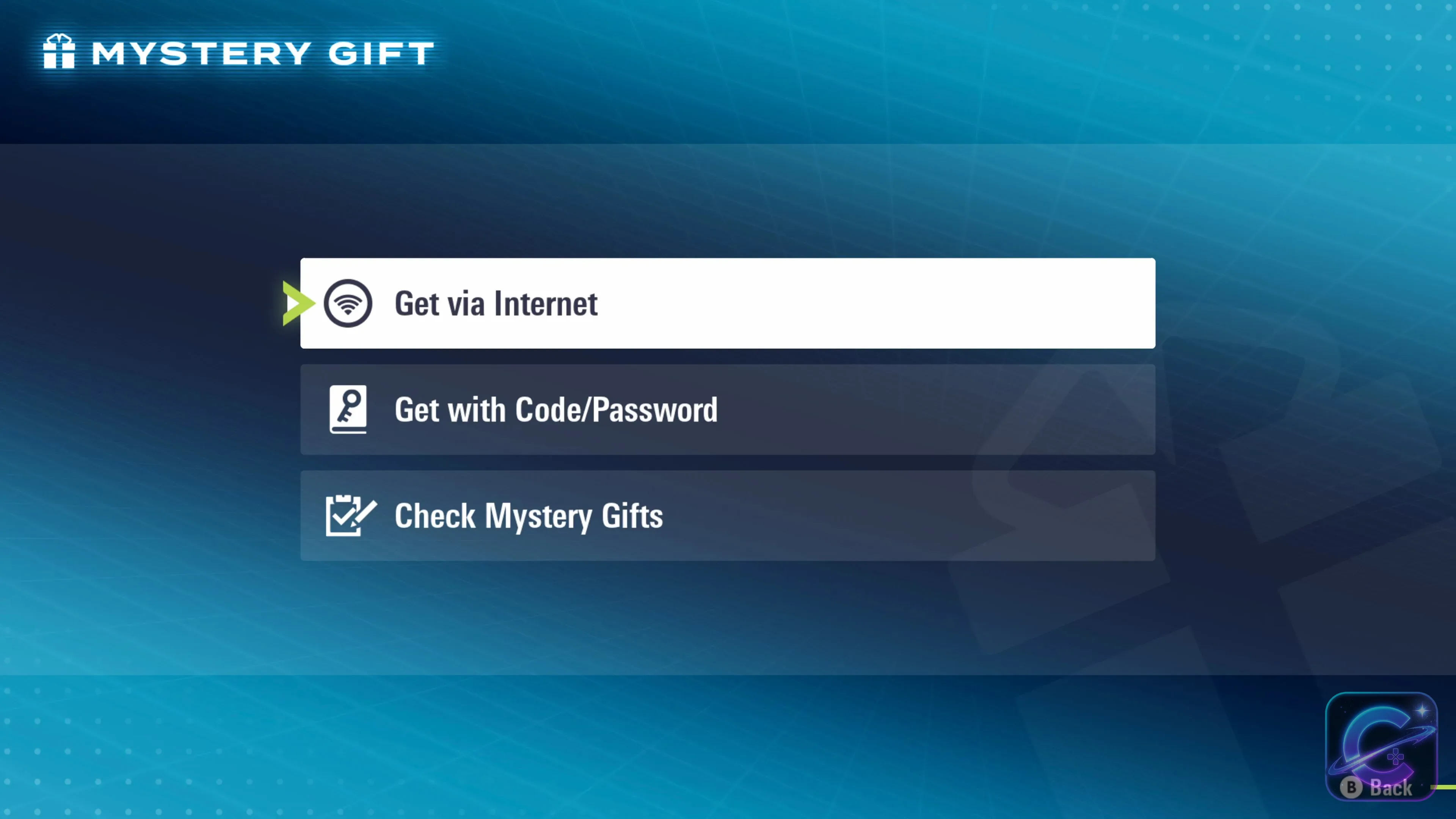
Pokémon Legends: Z-A places Mystery Gift inside the Link Play menu, which appears after you unlock the Rewards feature in Mable's Research. Nintendo estimates that Link Play becomes available after roughly 1 to 1.5 hours of play.
Guide facts
On this page
Unlock Rewards in Mable's Research before looking for Mystery Gift
Pokémon Legends: Z-A does not show Link Play immediately. Progress until you unlock the Rewards feature in Mable's Research. Nintendo estimates that this takes roughly 1 to 1.5 hours, after which Link Play appears in the X menu.
An internet connection is required to access Mystery Gift. Official Pokémon distribution instructions also require the user profile to be linked to a Nintendo Account when connecting the system to the internet.
Open Mystery Gift from Link Play and choose how to receive the gift
X Button.Link Play.Mystery Gift.Get via Internet for a listed online distribution, or Get with Code/Password when you have a serial code.Use Get via Internet for online distributions
Select Get via Internet, wait for the available gifts to load, then select the distribution you want. Nintendo says the gift arrives in the game and the save is updated automatically after receipt.
Use Get with Code/Password for serial codes
Select Get with Code/Password, enter the code exactly as provided by the distribution, then wait for the gift to arrive. The game automatically saves after a successful claim.
Different gift types appear in different places
- Apparel appears in
Outfit & Looks. - Other items appear in your
Satchel. - Pokémon appear in your party or Pokémon boxes.
Check Mystery Giftsin the Mystery Gift menu shows gifts you previously received.
Distribution rules can differ from one Mystery Gift to another
Mystery Gift is the delivery system, but each distribution can have its own availability window, code expiry, save-file limit, or additional content requirement. Check the official announcement for the specific gift before assuming that an older code or online distribution is still available.
For example, the official Mega Garchomp Z distribution uses Get via Internet and states that the gift can be redeemed once per save data file. The related special encounter also requires separate Mega Dimension DLC progress, even though claiming that Mystery Gift itself does not require purchasing the DLC.
If Link Play or the gift does not appear
If Link Play is missing, continue Mable's Research until Rewards is unlocked. If Mystery Gift opens but an online gift is absent, confirm that the distribution is still active and that the console has an internet connection. For a code, verify the exact characters and the distribution's expiry. If the gift was already collected, use Check Mystery Gifts to confirm its receipt history.
FAQ
6 questionsThe Link Play menu appears after you unlock the Rewards feature in Mable's Research. Nintendo says this normally takes about 1 to 1.5 hours of play.
During gameplay, press the X Button, select Link Play, then select Mystery Gift.
Yes. Nintendo's Mystery Gift support covers Pokémon Legends: Z-A on Nintendo Switch systems and the Nintendo Switch 2 version.
Nintendo's Mystery Gift instructions require an internet connection but do not list a Nintendo Switch Online membership as a requirement. An internet connection is required, and official Pokémon distribution instructions state that the system user profile must be linked to a Nintendo Account.
Apparel appears in Outfit & Looks, other items appear in your Satchel, and Pokémon are placed in your party or Pokémon boxes. The game automatically saves after a successful receipt.
Open X Menu > Link Play > Mystery Gift, then select Check Mystery Gifts to review previously received gifts.