 COSM-GAME
 How to Import a Team Builder Team into EA SPORTS College Football 27
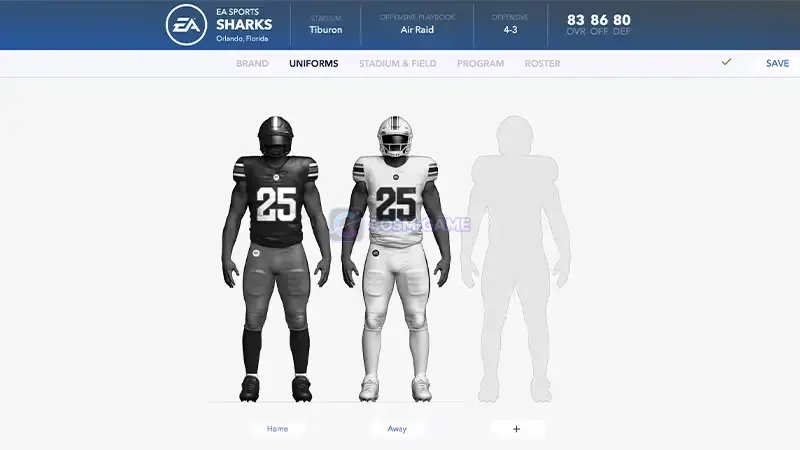
EA SPORTS College Football 27 lets you download submitted Team Builder schools to your platform and use them in Play Now, Dynasty, and Road to Glory. The basic import happens through Create and Share > Download Center, while Dynasty and Road to Glory add their own team replacement steps.
Guide facts
On this page
Submit your Team Builder creation before importing it
If you built the team yourself, finish the web creation process before opening the game. Use the official College Football Team Builder website, complete the team, then select Save and Submit.
Once the submitted version is available, you can download it into EA SPORTS College Football 27. Team Builder creations are stored locally on the platform after the in-game download completes.
Use the downloaded team in Play Now
Once the school is stored locally, it becomes selectable in supported game modes.
Game Modes.Play Now.R2 on PlayStation or RT on Xbox to move through the team selection more quickly.Import the team into a new Dynasty
Dynasty uses an additional replacement step because the Team Builder program takes the place of an existing school in the league.
Game Modes, select Dynasty.Start to create a new league.Cloud Multi User.Default Roster.Import Team Builder.Yes or No when the game asks whether to replace the roster.EA allows you to replace up to 16 teams during this Team Builder Dynasty setup.
Dynasty teams can be updated between seasons
College Football 27 also lets an existing Dynasty refresh its imported Team Builder programs at the end of a season.
EA says this performs a full reimport of the latest published version of that Team Builder team. Changes such as uniforms, stadium work, field updates, logos, and other supported Team Builder presentation settings can therefore be brought into the Dynasty later.
Note: Make sure the version published on the Team Builder website is exactly how you want it before performing the update because the reimport uses that latest published version.
Use Team Builder teams in Road to Glory
Road to Glory has separate Team Builder integration for both high school and college teams.
Game Modes.Road to Glory.Start to begin a new Road to Glory journey.Import High School Team Builder when setting up the high school portion.EA lets you replace all six high school teams with Team Builder creations. College teams can also be replaced, allowing your Road to Glory player to later sign with and play for one of your custom programs.
You can import up to 16 Team Builder teams total across the high school and college parts of Road to Glory.
If the Team Builder school does not appear
- Confirm that the team was successfully submitted on the Team Builder website if it is your own creation.
- Open
Create and Share > Download Centeragain and confirm that you are browsingSchools. - Search for the correct Team Builder team again.
- Make sure the download finished before opening Play Now, Dynasty, or Road to Glory.
- If you are creating a Dynasty, confirm that you selected
Cloud Multi User,Default Roster, and thenImport Team Builder. - If you are starting Road to Glory with custom high schools, use
Import High School Team Builderduring the new journey setup.
If the team still cannot be downloaded or imported, use the official EA Team Builder import page and continue through EA Help for the affected account.
Trailer, screenshots, and media
FAQ
8 questionsFrom the main menu, open Create and Share > Download Center, then make sure you are in the Schools category.
Yes. EA's Team Builder workflow has you Save and Submit the finished team on the website before moving to the in-game import process.
EA officially supports Team Builder teams in Play Now, Dynasty, and Road to Glory.
During Dynasty setup, EA lets you replace up to 16 existing teams with Team Builder teams.
EA's current import instructions have you choose Game Modes > Dynasty > Start > Cloud Multi User > Default Roster, then use Import Team Builder during Dynasty setup.
Yes. EA says you can update imported Team Builder programs at the end of each Dynasty season. The reimport uses the latest published version of that team.
Yes. Road to Glory lets you replace all six high school teams with Team Builder teams and also supports replacing college programs.
EA allows up to 16 Team Builder teams in total across the high school and college portions of Road to Glory.