 COSM-GAME
 How to Use Resident Evil Requiem Deluxe Kit Content on Epic Games
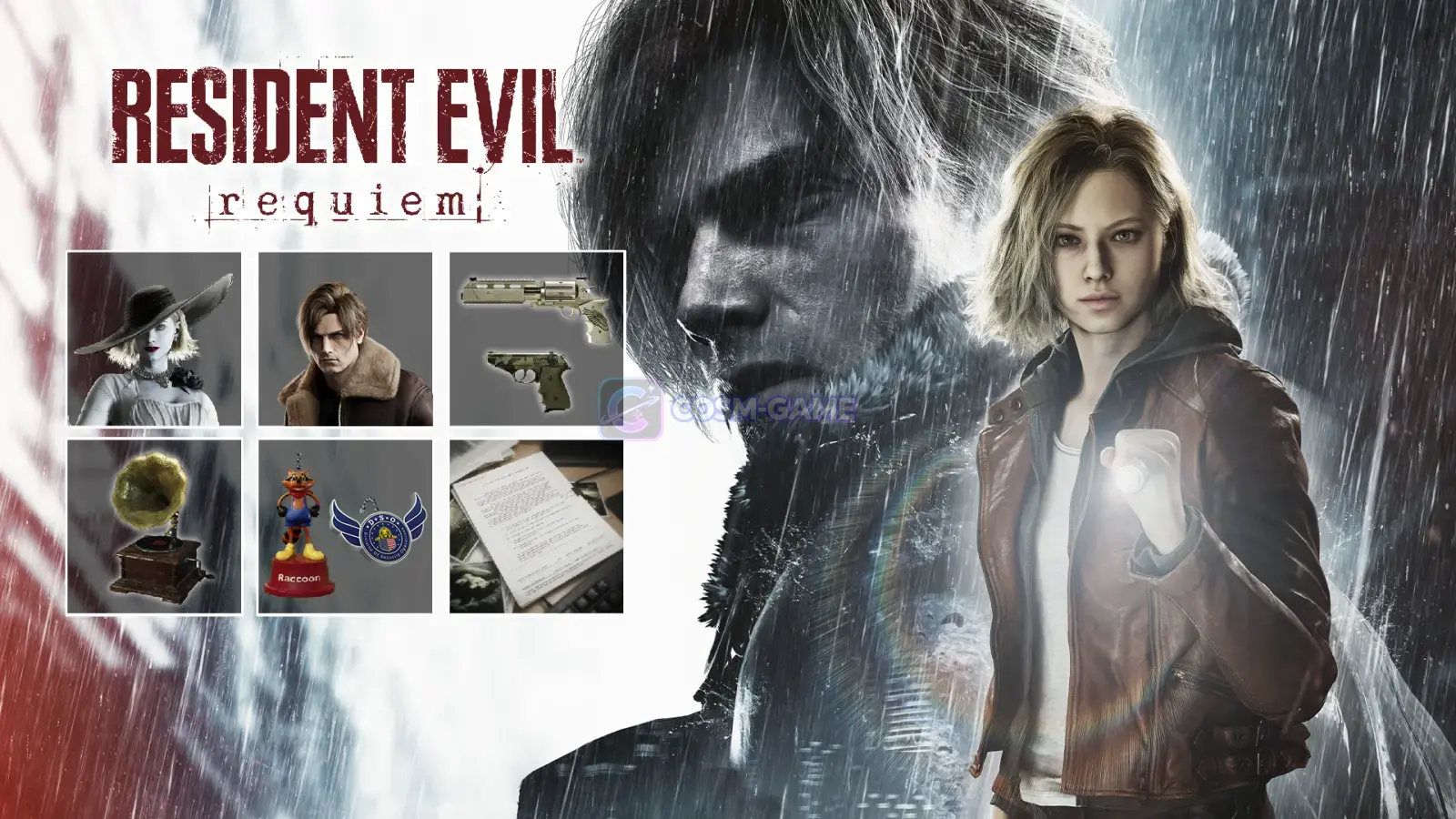
Resident Evil Requiem Deluxe Kit content on Epic Games is split between launcher-managed DLC and items accessed inside the game. Costumes, weapon skins, screen filters, and the Audio Pack use Main Menu > Bonuses > Bonus Settings, while charms and Files: Letters from 1998 follow separate in-game rules.
Guide facts
On this page
You need the Deluxe Kit on your Epic Games account
Resident Evil Requiem Deluxe Kit is additional content for the Epic Games version of Resident Evil Requiem. If you bought the Deluxe Edition, you already own the Deluxe Kit because that edition includes the base game and the complete add-on.
If you own only the standard game, the Resident Evil Requiem Deluxe Kit on the Epic Games Store is available as a separate add-on.
Note: Capcom does not guarantee normal operation when the base game, additional content, digital code, or account is registered for a different country or region. Keep the game and Deluxe Kit on matching regional accounts.
Check the Deluxe Kit in the Epic Games Launcher
Library.Manage Add-Ons if it appears.Resident Evil Requiem - Deluxe Kit if it is listed, then allow any required download to finish.Epic documents the same process on its official DLC management page.
Note: Manage Add-Ons is not shown for every game. Epic says some DLC is downloaded with the main game, and the option may also appear only after the game is installed or requires an update. Use costumes, weapon skins, filters, and audio from Bonus Settings
Capcom places the selectable Deluxe Kit content in one menu. From the Main Menu, open Bonuses, then select Bonus Settings.
Use Bonus Settings for these Deluxe Kit content types:
- Grace's Costume: Dimitrescu
- Grace's Costume: Film Noir
- Leon's Costume: RE4
- Leon's Costume: Apocalypse
- Leon's Costume: Film Noir
- Screen Filter: Apocalypse
- Screen Filter: Film Noir
- Four weapon skins, including S&S M232 Weapon Skin: Apocalypse
- Audio Pack: Raccoon City Classic
Select the costume, weapon skin, screen filter, or audio option you want from this menu. Capcom's official Epic Games FAQ confirms the Main Menu to Bonuses to Bonus Settings route.
The two Deluxe Kit charms are delivered automatically
The Mr. Raccoon Charm and DSO Emblem Charm do not use Bonus Settings. Start the main story and the charms are automatically stored in your inventory.
If your inventory is already full, Capcom says the charms are moved to your item box and supply box. Check those storage locations before treating a missing charm as an installation problem.
Files: Letters from 1998 requires story progress
Files: Letters from 1998 is also different from the immediately selectable bonus items. Progress through the main story until you are exploring Raccoon City and locate the required file.
The Epic Games Store states that the Letters from 1998 content unlocks once a certain file in Raccoon City is located. Finding and reading all of the files to the end also grants a special charm.
If the Deluxe Kit content does not appear
- Confirm ownership first. Check that the Epic Games account you are using owns either the Deluxe Kit or the Deluxe Edition that includes it.
- Check
Manage Add-Ons. In the Epic Games Launcher, openLibrary, select the three dots beside Resident Evil Requiem, and enable the Deluxe Kit if the option is shown. - Wait for downloads and updates to finish. Do not launch the game while Epic is still downloading required game or DLC data.
- Do not expect every item in
Bonus Settings. The two charms are delivered through the main story, while Files: Letters from 1998 requires progress in Raccoon City. - Check the regional setup. If the base game or Deluxe Kit came from a different country or region, Capcom does not guarantee that the additional content will work normally.
Trailer, screenshots, and media
FAQ
6 questionsNo. The Epic Games Store lists the Deluxe Edition as including both Resident Evil Requiem and the Deluxe Kit, so purchasing the separate Deluxe Kit again is unnecessary.
Open the Main Menu, select Bonuses, then Bonus Settings. Capcom uses the same menu for costumes, weapon skins, screen filters, and the Audio Pack.
The charms are automatically placed in your inventory when you start the main story. If your inventory is full, Capcom says they are placed in your item box and supply box instead.
Progress through the main story in Raccoon City and locate the required file. The Epic Games Store states that Files: Letters from 1998 unlocks after a certain file is located in Raccoon City.
Epic says Manage Add-Ons may appear only after a game is installed or needs an update, and some games do not show the option because their DLC is downloaded with the main game.
Capcom does not guarantee normal operation when the base game, additional content, account, or digital code comes from a different country or region. Use content registered for the same country or region as your Epic Games copy and account.